
Optimizer rune builds in Summoners War https://runeoptimizer.inigovalentin.com
 Iñigo Valentin
84bbca8b14
Seal rune set added. Monsters DB updated. Small GUI fixes.
Iñigo Valentin
84bbca8b14
Seal rune set added. Monsters DB updated. Small GUI fixes.
|
2 жил өмнө | |
|---|---|---|
| bin | 2 жил өмнө | |
| src | 2 жил өмнө | |
| .gitignore | 4 жил өмнө | |
| LICENSE | 4 жил өмнө | |
| Makefile | 4 жил өмнө | |
| README.md | 4 жил өмнө | |
| doxygen-cli.conf | 4 жил өмнө | |
| doxygen-gui.conf | 4 жил өмнө |
README.md
RuneOptimizer
A rune optimizer for Summoners War players
RuneOptimizer is a tool for Summoners War players. It helps players get the most of their monstesrs and units by calculating rune combinations matching user-definedcriteria.
It is indeed inspired by Xzandro's Summoners War Optimizer, wich is an amazing tool.
It's not a webapp, but a locally installable application, to get the most out of your CPU. Includes a fully functional command line utility, and a graphical interface for ease-of use.
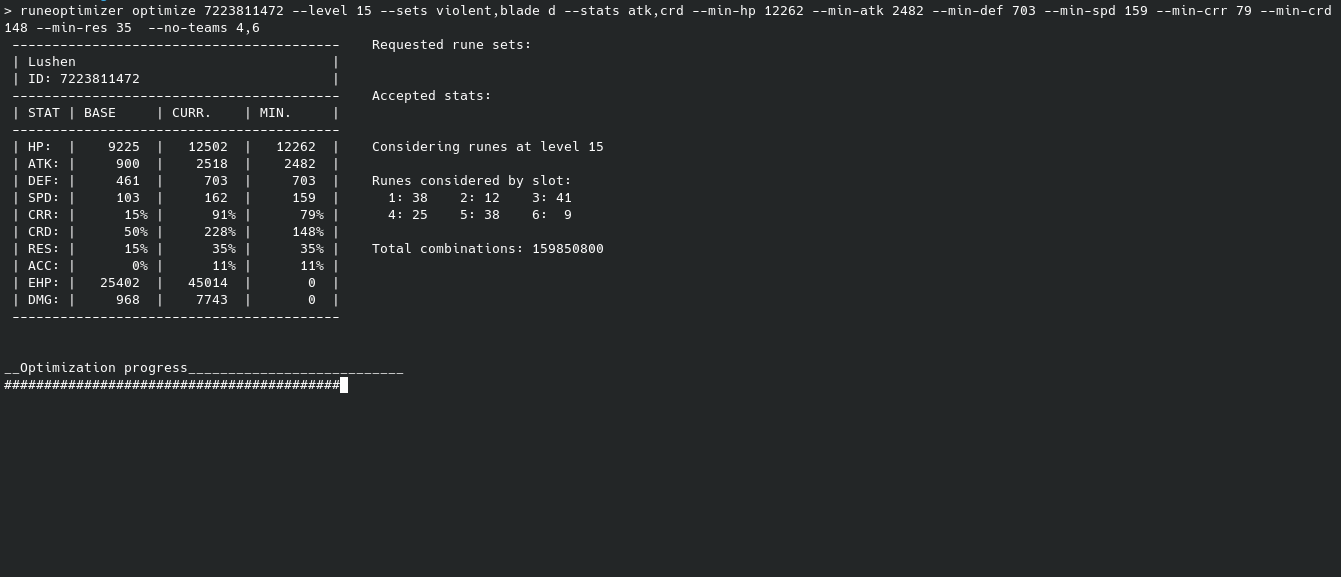
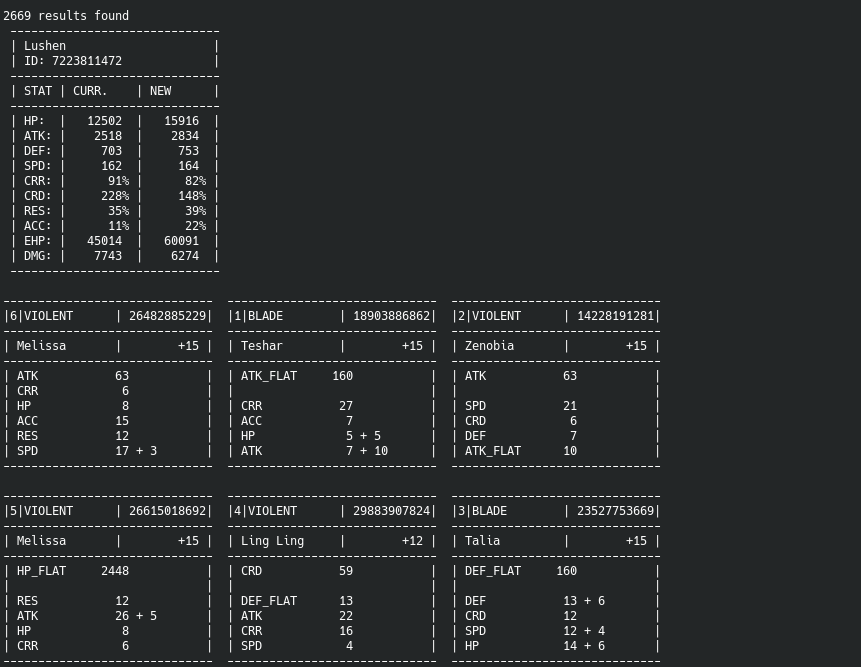
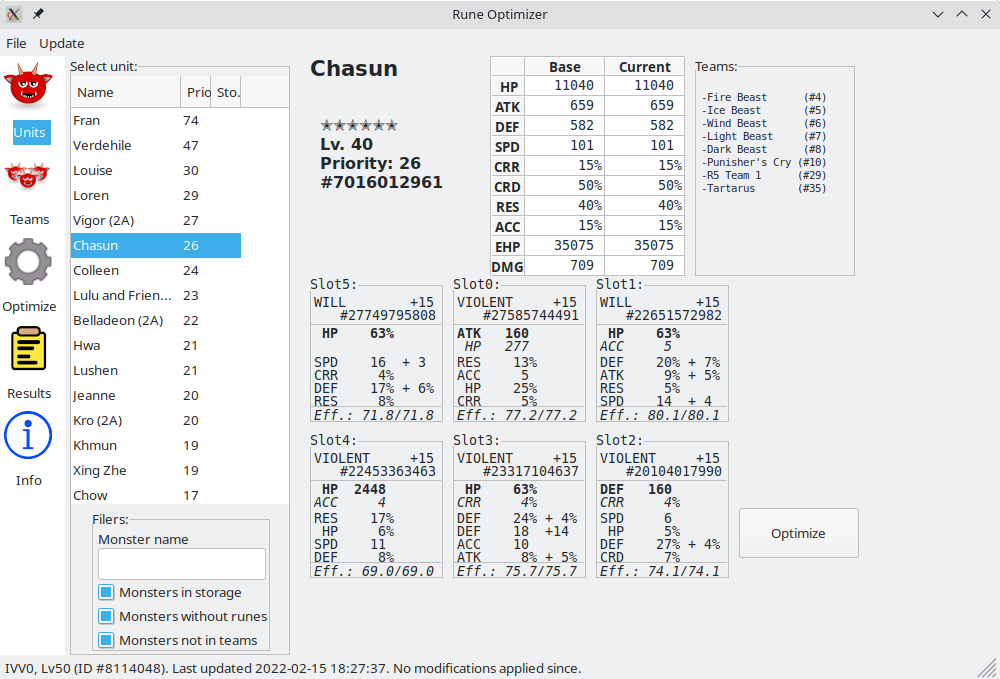
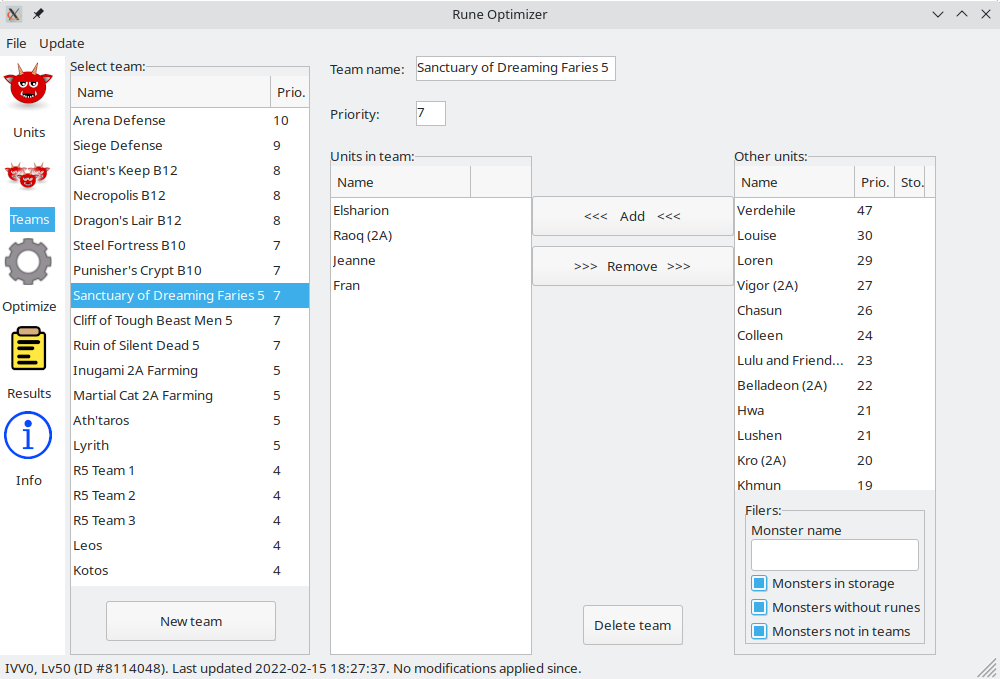
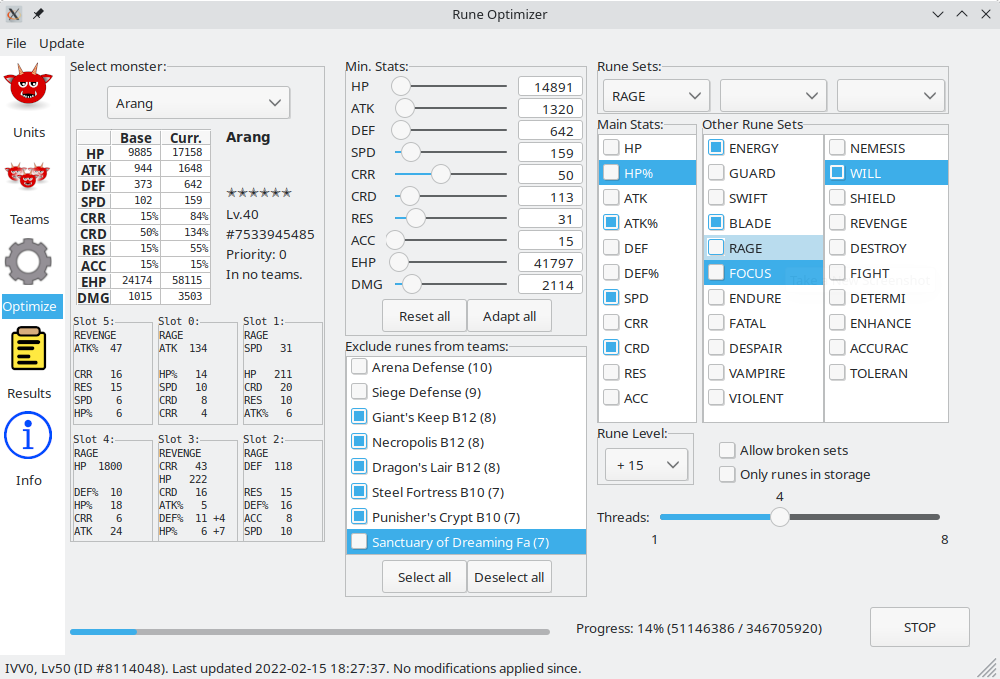
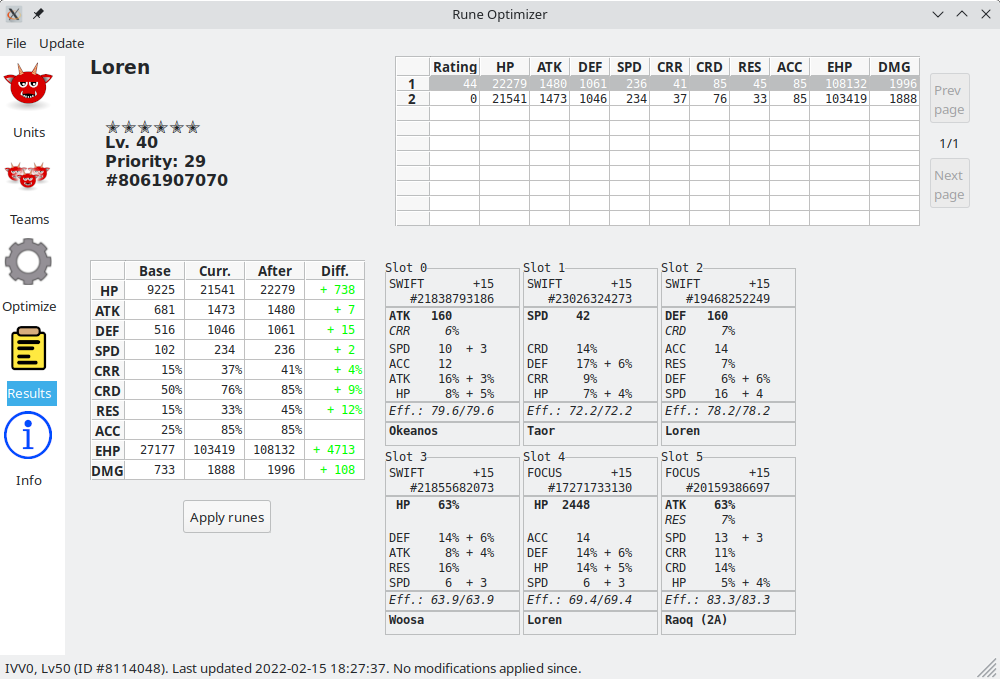
Features
- Fast: With multiple threads, it will have the best rune combination for your monster in no time. Roughly speaking, it can calculate a few billion combinations in under a minute on a run-of-the-mill computer.
- Customizable: Many options can be selected for optimizations: stats for even slots, required and acceptable rune-sets, using runes from storage, or excluding certain teams or units...
- Easy: Just pick a monster. Click 'Optimize'. Wait for the results! While advanced options can also be set, the default ones are an easy way to find out if you can give a quick boost to your monsters.
- Safe: No funny moves. RuneOptimizer won't need your login details, and all your data is safely stored locally, and never sent anywhere. In fact, it doesn't eve use the network, all calculations are done locally.
- Efficient: It only takes a few megabytes of RAM to run the optimizer.
- Open Source: The source code of RuneOptimizer is licensed under a GPL license, and it's publicly available for anyone to see or improve as they see fit.
How to use
Using the CLI
Using the command line interface can be a bit overwhelming, but it's very powerfull.
The first thing you need to do is load the data from your json
RuneOptimizer update path-to-your-file.json --six-stars --with-runes
The parameters --six-stars and --with-runes are optional, and they are used to import only monsters at level 40 or with runes equiped.
Using the GUI
The GUI is pretty self explanatory, but the first step is the same. From the Update menu, select the Update from JSON option to load your data.
Once it's done, you can browse your units and teams, and use the optimizer form.
Build
Build on GNU/Linux
Install dependencies.
apt install gcc libsqlite3-dev libjson-c-dev
For the GUI, you will also need the following dependencies:
apt install python3 python3-wxgtk4.0 python3-minidb python3-appdirs python3-sh
Just run make and sudo make install
Build on Windows
Well, this was painfull to get right
Install MinGW for the compiler. You can follow this great tutorial.
Once it's complete and the installer runes, make sure to mark
pthreadfor instalation.Get the sqlite3 libraries.
(Credit for this part and many thanks to this tutorial)
Download sqlite-amalgamation-3370200.zip. It contains four files:
- shell.c
- sqlite3.c
- sqlite3.h
- sqlite3ext.h
They need to be copied to the compiler lib directory
C:\MinGW\lib\.Next, download sqlite-dll-win64-x64-3370200.zip (or sqlite-dll-win32-x86-3370200.zip for 32 bit versions of Windows). Extract the zip, and copy the file to these directories:
- The compiler lib directory
C:\MinGW\lib\ - The system lib directory
C:\Windows\SysWOW64\(orC:\Windows\System32\for 32bit versions of Windows)
Build json-c. For this step you need VisualStudio. You can download it from here. If VisualStudio is not installed in english by default, once it's done you will also need to install the english language pack. Once i'ts installed, follow this excelent tutorial. When done, you will end up with a folder named
vcpkg\packages\json-c_x86-windows. From there, you need to copy:- The file
lib\json-c.libtoC:\MinGW\lib - The folder
include\json-c\toC:\MinGW\lib\json-c\ - The file
bin\json-c.dlltoC:\Windows\SysWOW64\(orC:\Windows\System32\for 32bit versions of Windows)
- The file
Compile. Open a console and go to the project directory. From there, go to
src/RuneOptimizerTo compile, use the command:
gcc runeoptimizer.c */*.c -o ../../runeoptmizer.exe -I C:\MinGW\lib -lsqlite3 -ljson-c -lpthreadNow, you'll have an executable in the project main directory.
(Optional) Install python to use the GUI. If you want to use the program GUI, download and install Python3 for Windows from here (required minimum version is 3.6): During instalation, make sure to check
Install PIPIn a console, runpy -m pip install wxPython appdirsto install the required packages.